


Powering your Enterprise AI with Informatica Plugin for Claude
Table Of Contents
Enterprise AI solutions have come a long way in solving the connectivity problem. By allowing Large Language Models (LLMs) to tap into scattered data stores, AI can now reach the information it needs. But simply connecting to data doesn't mean an AI model actually has a comprehensive understanding of the data or data landscape or that it can judge the depth and data quality required for reliable decision-making. This disconnect creates three major hurdles for effective agentic workflows:
- The Knowledge Gap: AI models often fail to realize that different labels, naming conventions, or IDs across separate tools actually point to the exact same real-world entity.
- The Trust Gap: When faced with conflicting information from multiple places, standard models lack a built-in way to figure out which source is truly authoritative, high-quality, and up-to-date.
- The Action Gap: AI agents might know the steps required to execute a task, but without governance controls, they can't verify whether the underlying data is compliant, accurate, or even permitted for that specific use case.
Here, we'll cover how to bridge these gaps seamlessly:
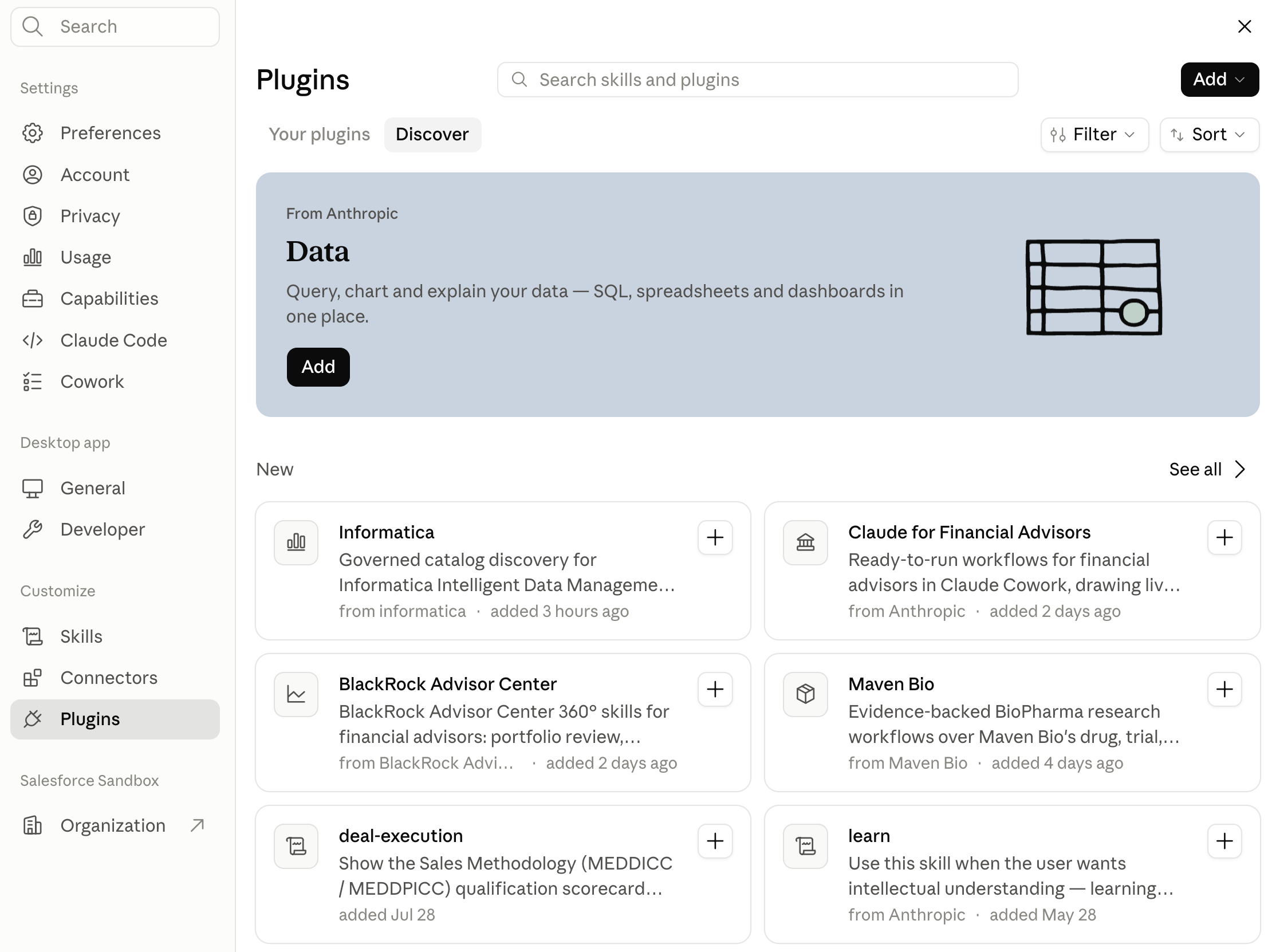
- Explore how the Informatica Plugin for Claude – now available in the Claude directory – seamlessly integrates with the Claude Enterprise to overcome Knowledge, Trust, and Action gaps.
- See how Informatica's AI-powered data management platform enriches Claude's agentic workflows with deep understanding of enterprise data – clarifying business definitions, pointing to single sources of truth, checking lineage, mapping relationships, and confirming safety guidelines before executing actions.
- Follow a step-by-step guide to discover, set up, and deploy the plugin across your organization, connecting Claude directly to Informatica's headless data management Model Context Protocol (MCP) servers.
Plugin Overview
Let's take a closer look at how the Informatica Plugin for the Claude bridges these environments. At its core, the plugin communicates directly with headless data management Model Context Protocol (MCP) servers hosted on the Informatica Intelligent Data Management Cloud (IDMC) platform.
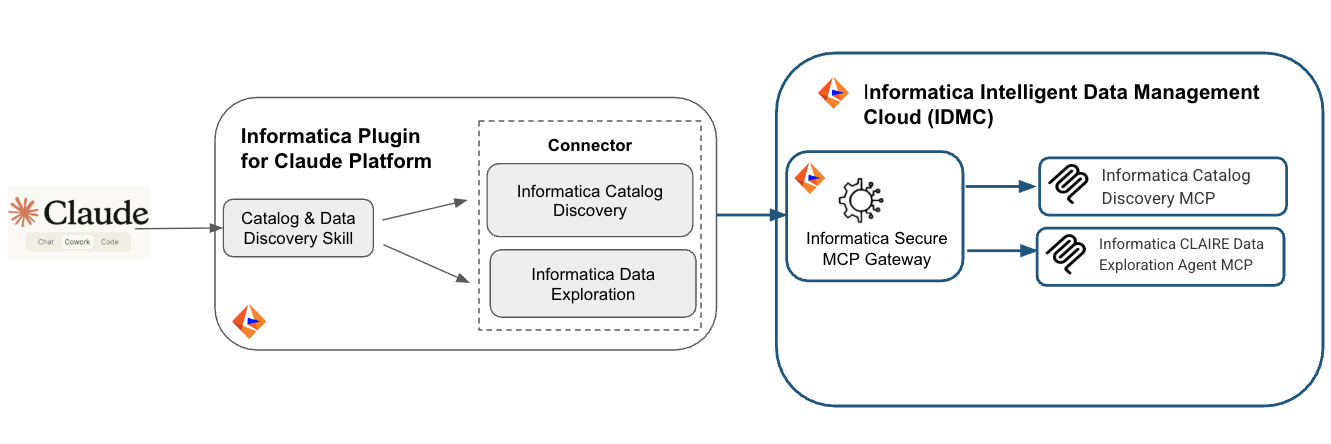
Catalog and Data Discovery Skill: The skill provides instructions and reusable workflows to Claude on how to perform specific metadata-only discovery from Informatica's Cloud Data Governance and Catalog service. Additionally it informs Claude on how to inspect data assets – tables, columns, glossary terms, ownership, certification, and PII/sensitivity tags – thus verifying that the asset is fit for purpose, before handoff to the data discovery and execution tool. It also ensures that LLM adheres to strict anti-hallucination guardrails, treating missing metadata as an explicit gap rather than guessing. Once a trusted asset is identified, it passes verified information to downstream data exploration tools.
Connectors: These components handle secure communication, linking Claude directly to Informatica's MCP endpoints (including the Catalog Discovery MCP and the CLAIRE Data Exploration Agent MCP) via Informatica’s Secure MCP Gateway. For the Informatica Claude connectors now available in Claude directory, Refer to Informatica Catalog Discovery and Informatica Data Exploration now.
Informatica Catalog Discovery MCP: Serving as the primary gateway to Cloud Data Governance and Catalog (CDGC), this MCP gives AI agents the ability to navigate and inspect enterprise data assets easily. Using natural language queries or specific keywords, AI agents can surface rich metadata, explore data dependencies, and ground every answer in a governed enterprise information.
Informatica CLAIRE Data Exploration Agent MCP: Designed as a specialized interface for CLAIRE's data exploration features, this MCP grants AI agents direct access to dataset and attribute telemetry inside IDMC. Sitting downstream from orchestration, it lets systems with concrete analysis goals interact directly with underlying data assets safely and efficiently.
Solution Walkthrough
Prerequisites
- Informatica IDMC Account: An active Informatica Intelligent Data Management Cloud (IDMC) account with a configured runtime environment and the necessary permissions:
- User Access: Permissions for Informatica Cloud Data Governance and Catalog (CDGC).
- Administrative Access: Permissions to configure OAuth 2.1 authorization credentials for plugin connectors to communicate with IDMC-hosted MCPs.
- Claude Plan: An active Claude Enterprise plan.
- Application Setup: The downloaded and installed Claude Desktop application.
Follow this step-by-step walkthrough to see the plugin at work:
- Set up OAuth 2.1 authorization credentials so connector components can connect directly with MCP servers hosted on IDMC.
- Configure the Informatica connectors for Informatica Catalog Discovery MCP and Informatica CLAIRE Data Exploration Agent MCP.
- Configure the Informatica Plugin.
- Enable the plugin within Claude.
- Execute your prompt (for instance, "run quarterly sales EMEA in Q2") and review the output alongside the reasoning on how it arrived at the result.
Set up OAuth 2.1 authorization credentials
- Login into the Informatica IDMC Console specific to your pod.
- Choose AI Agent Engineering for Services pop up menu.
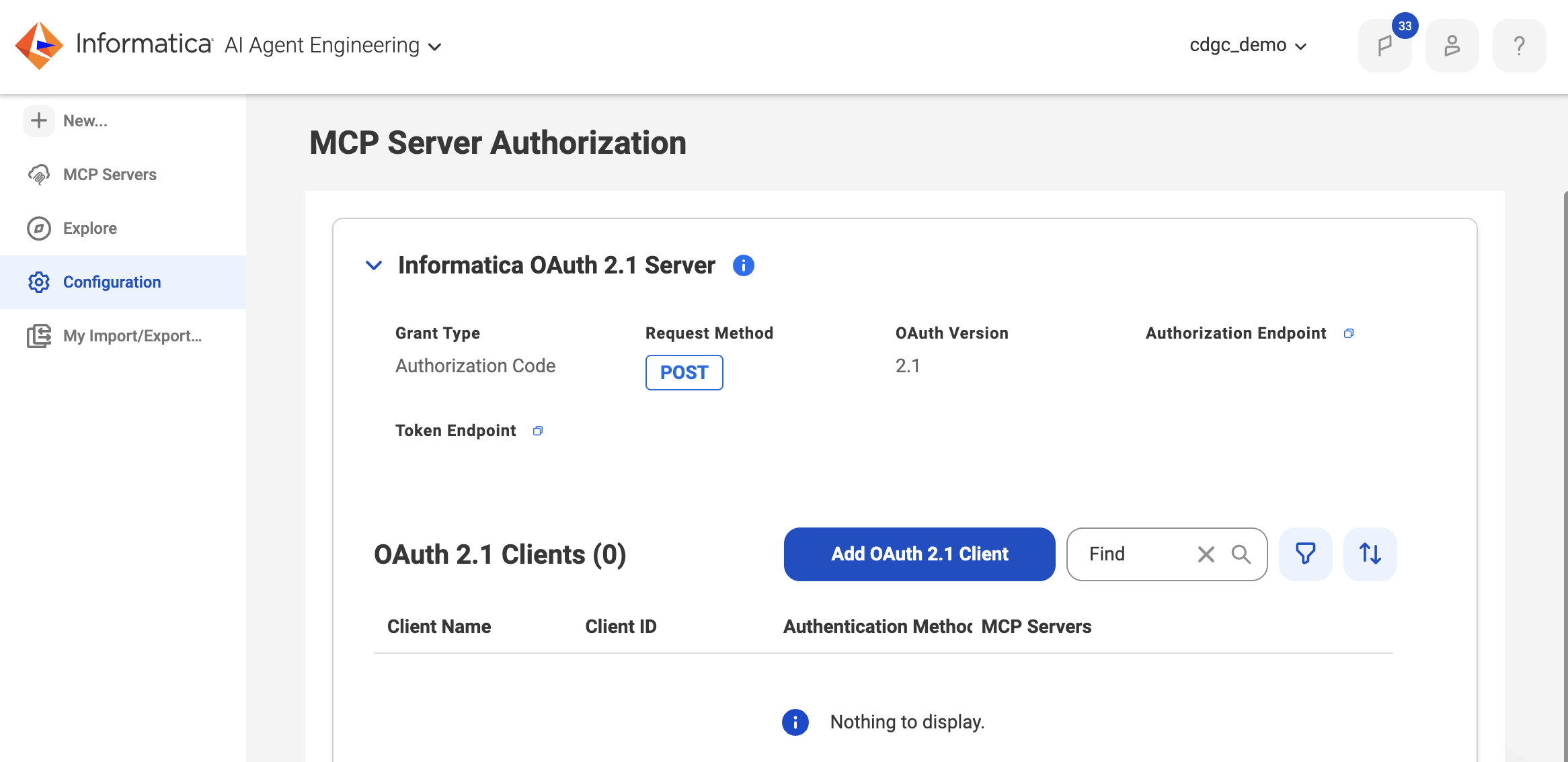
- Select Configuration from the navigation pane on the left.
- Under MCP Server Authorization expand Informatica OAuth 2.1.
- Click on Add OAuth 2.1 Client.
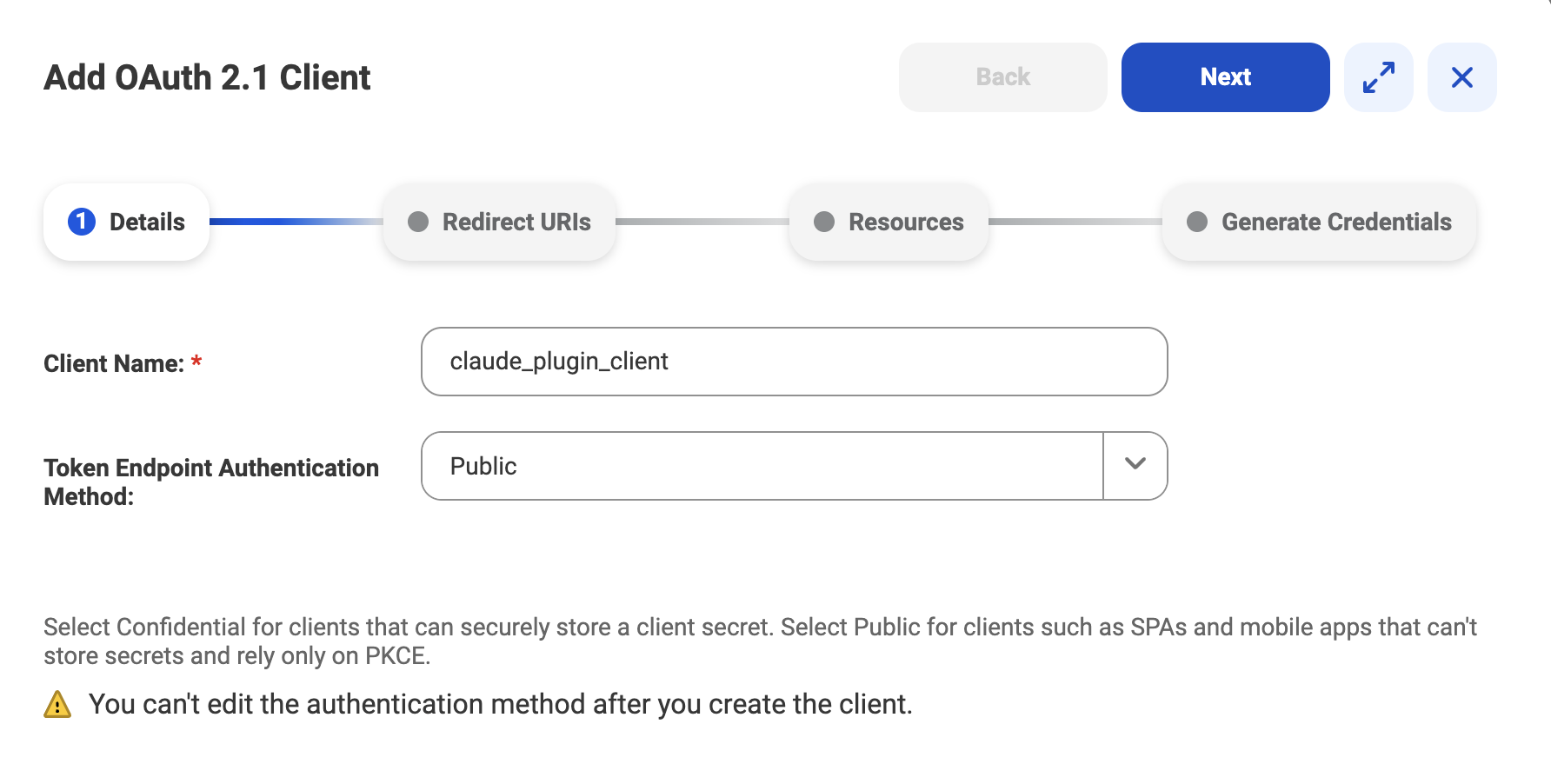
- Under Add OAuth2.1 Client pop up window type a client name (e.g. claude_plugin_client).
- Select Public for Token Endpoint Authentication Method.
- Click Next.
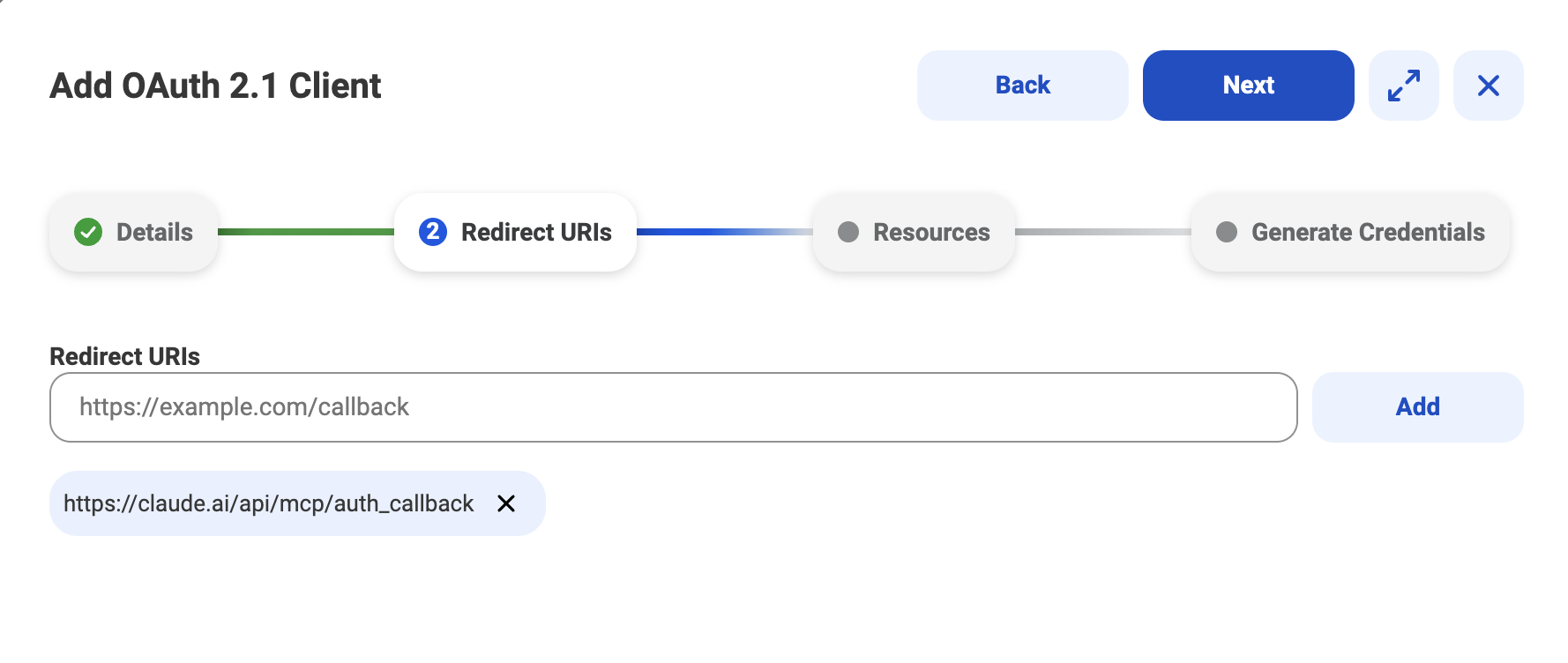
- Paste Claude callback url (e.g. https://claude.ai/api/mcp/auth_callback).
- Click Add.
- Click Next.
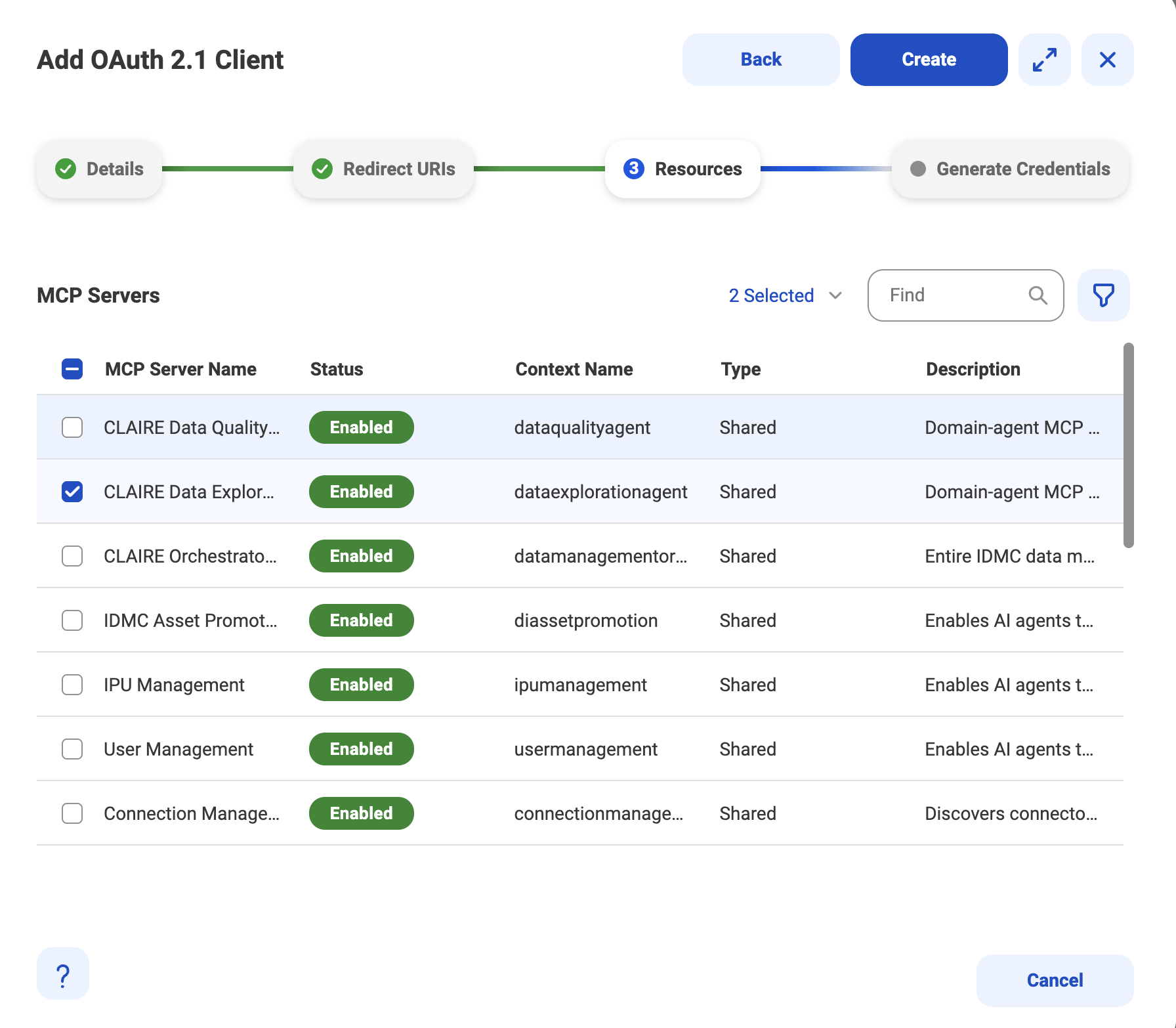
- Type Catalog Discovery in the search box and select the Catalog Discovery MCP server
- Type CLAIRE Data Exploration Agent in the search box and select the CLAIRE Data Exploration Agent MCP server.
Note: Please ensure that both Catalog Discovery MCP server and CLAIRE Data Exploration Agent MCP server are selected. - Click Create.
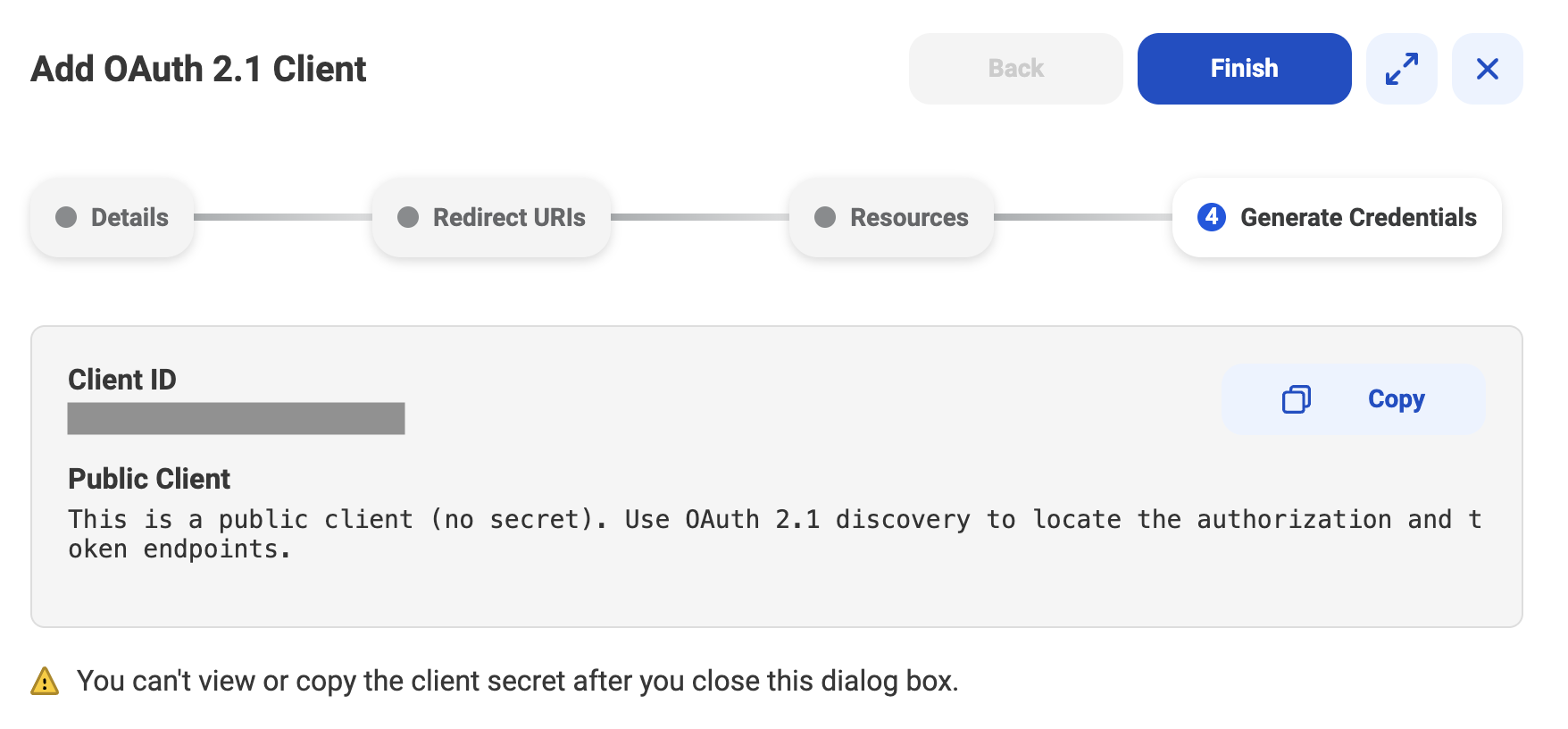
- Click Copy to copy the Client ID. Make sure to securely save the client ID as it will be needed to configure the connectors in Claude desktop.
- Click Finish.
Configure the Informatica Connectors
- Login to your Claude desktop as the organization administrator.
- Click on your name in the bottom left corner.
- Click on Organizational settings.
- Click on Connectors from the navigation menu on the left.
- Click on Add from the top right corner of the pop up window.
- Click All available.
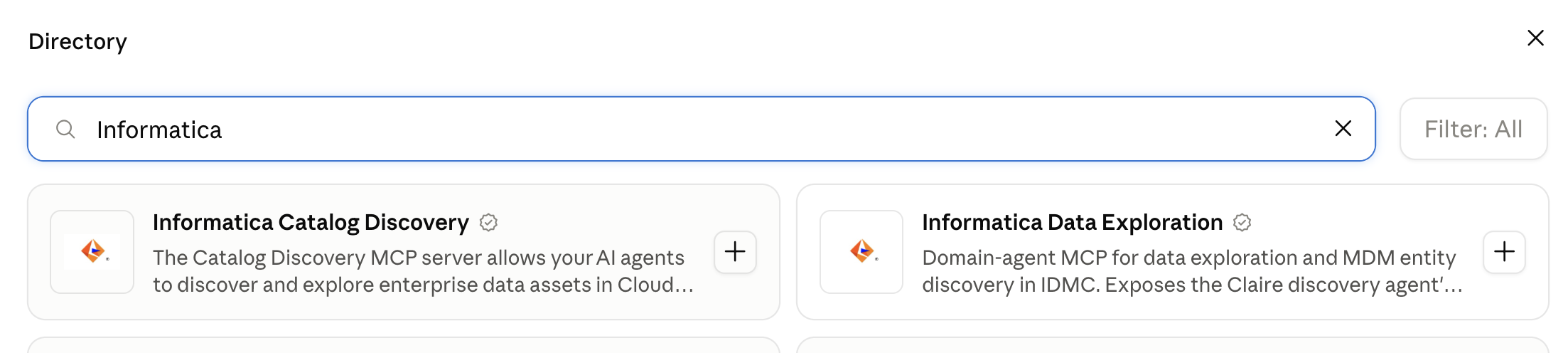
- Search for Informatica Catalog Discovery. For more details on the connector please see https://claude.ai/directory/informatica-catalog-discovery.
- Click on the + in the Informatica Catalog Discovery tile.
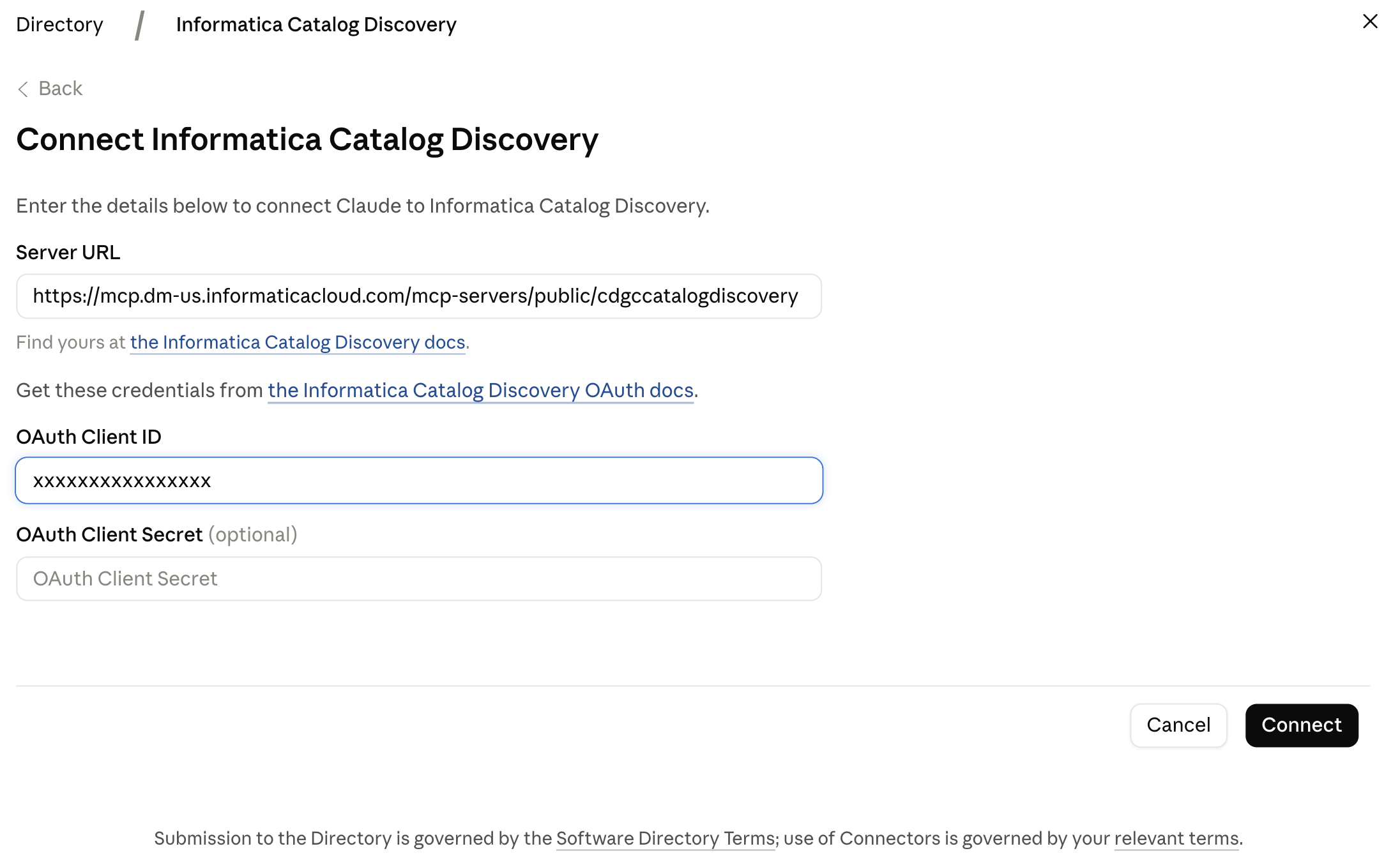
- For the Server URL enter the Informatica Catalog Discovery MCP URL (e.g. https://mcp.dm-us.informaticacloud.com/mcp-servers/public/cdgccatalogdiscovery). Please note the server url will be specific to your Informatica IDMC pod.
- Enter the Client ID that was already configured as part of Set up OAuth 2.1 authorization credentials.
- Click Connect.
- Repeat the steps for the Informatica Data Exploration connector. For more details on the connector please see https://claude.ai/directory/informatica-data-exploration. For the Server URL, enter the Informatica Data Exploration MCP URL (e.g. https://mcp.dm-us.informaticacloud.com/mcp-servers/public/dataexplorationagent). Please note the server url will be specific to your Informatica IDMC pod.
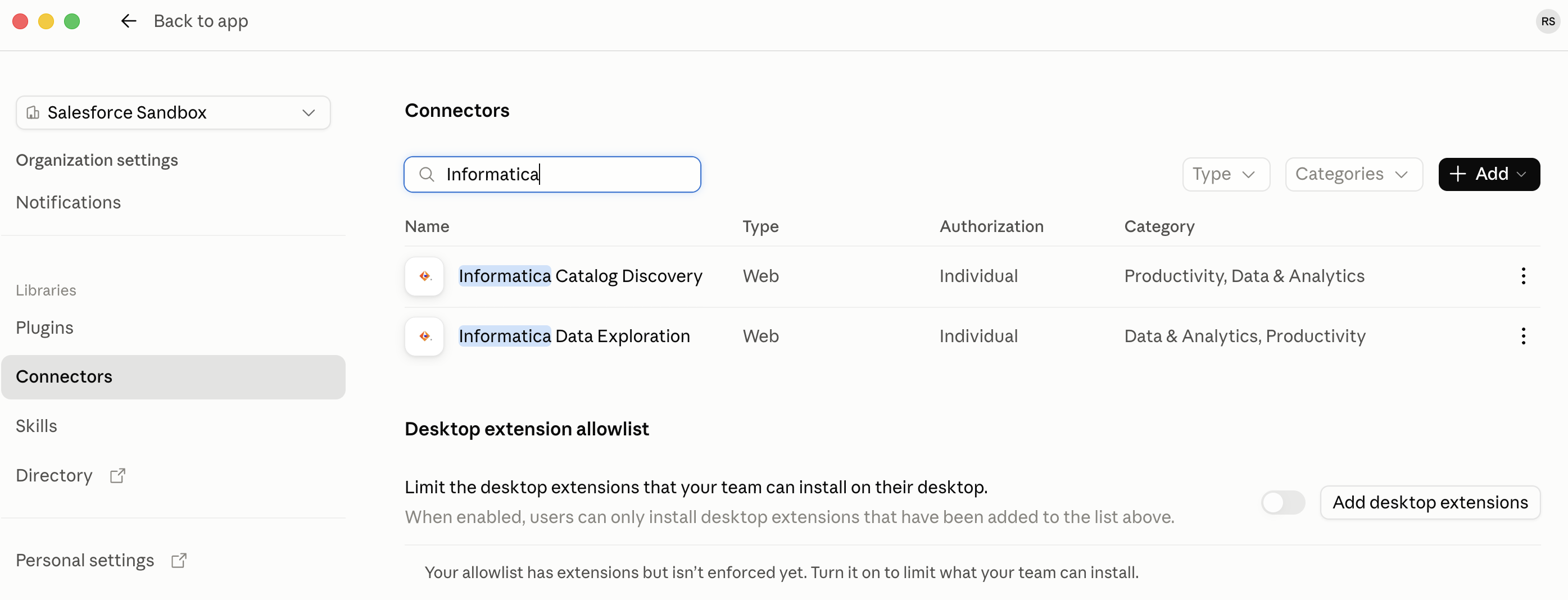
- Ensure that you see both the Informatica connectors as shown in the screenshot above.
Configure the Informatica Plugin
- Login to your Claude desktop as the organization administrator.
- Click on your name in the bottom left corner.
- Click on Settings.
- Click on Plugins from the navigation menu on the left.
- Click on Discover.
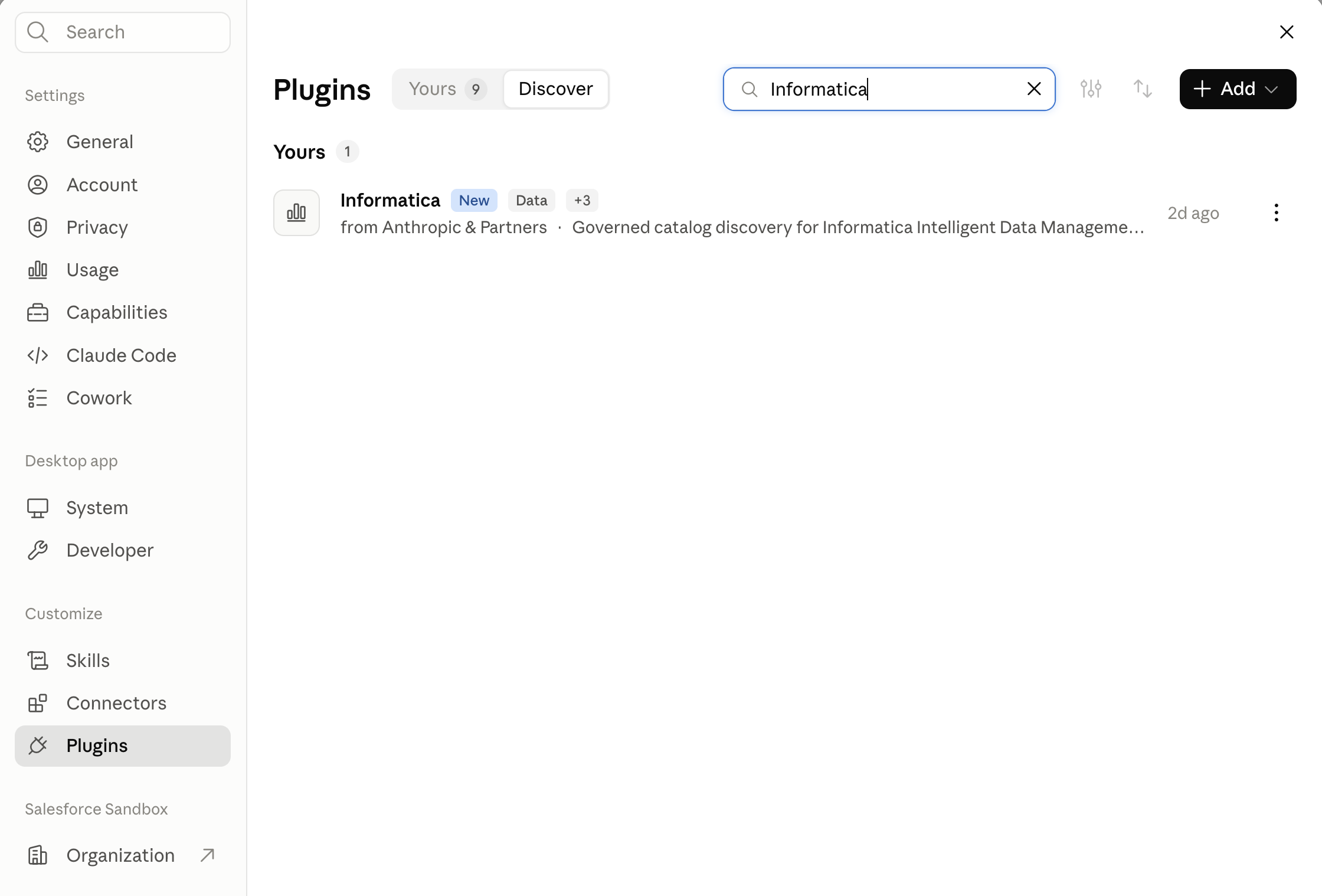
- Search for Informatica plugin.
- Click Add (right of the plugin name).
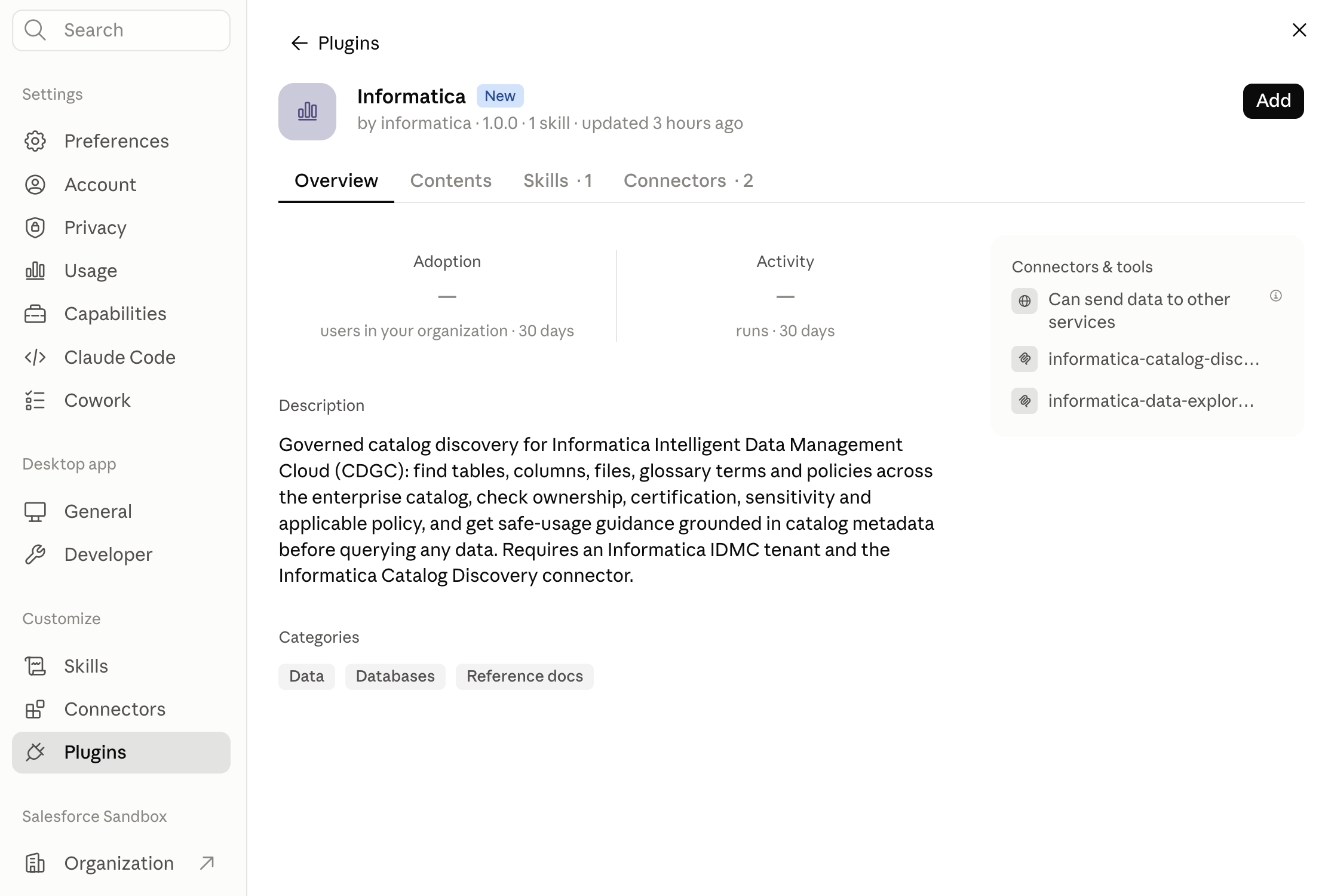
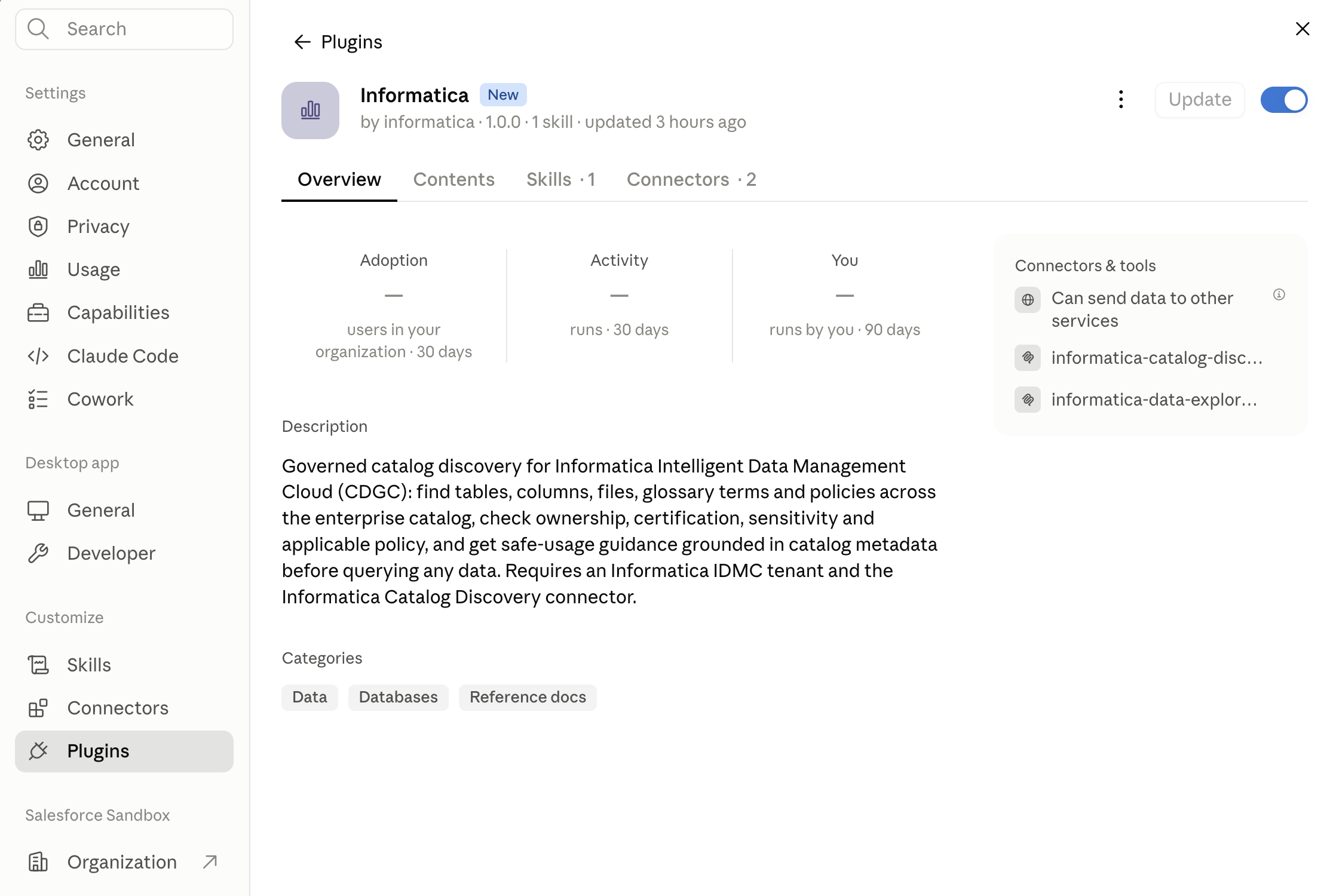
- Take a few minutes to review the plugin details.
- Click on Connectors from the navigation menu on the left.
- Search for the Informatica connectors.
- Click on Connect next to both the connector names. This will redirect you to login to the Informatica IDMC console.
- After successful login click on Continue Connecting.
- Make sure that check marks appear on the Status column for both the connectors. The check mark indicates that the connection was established.
Enable the plugin within Claude
- In the Claude Desktop click on +New from the navigation pane on the left.
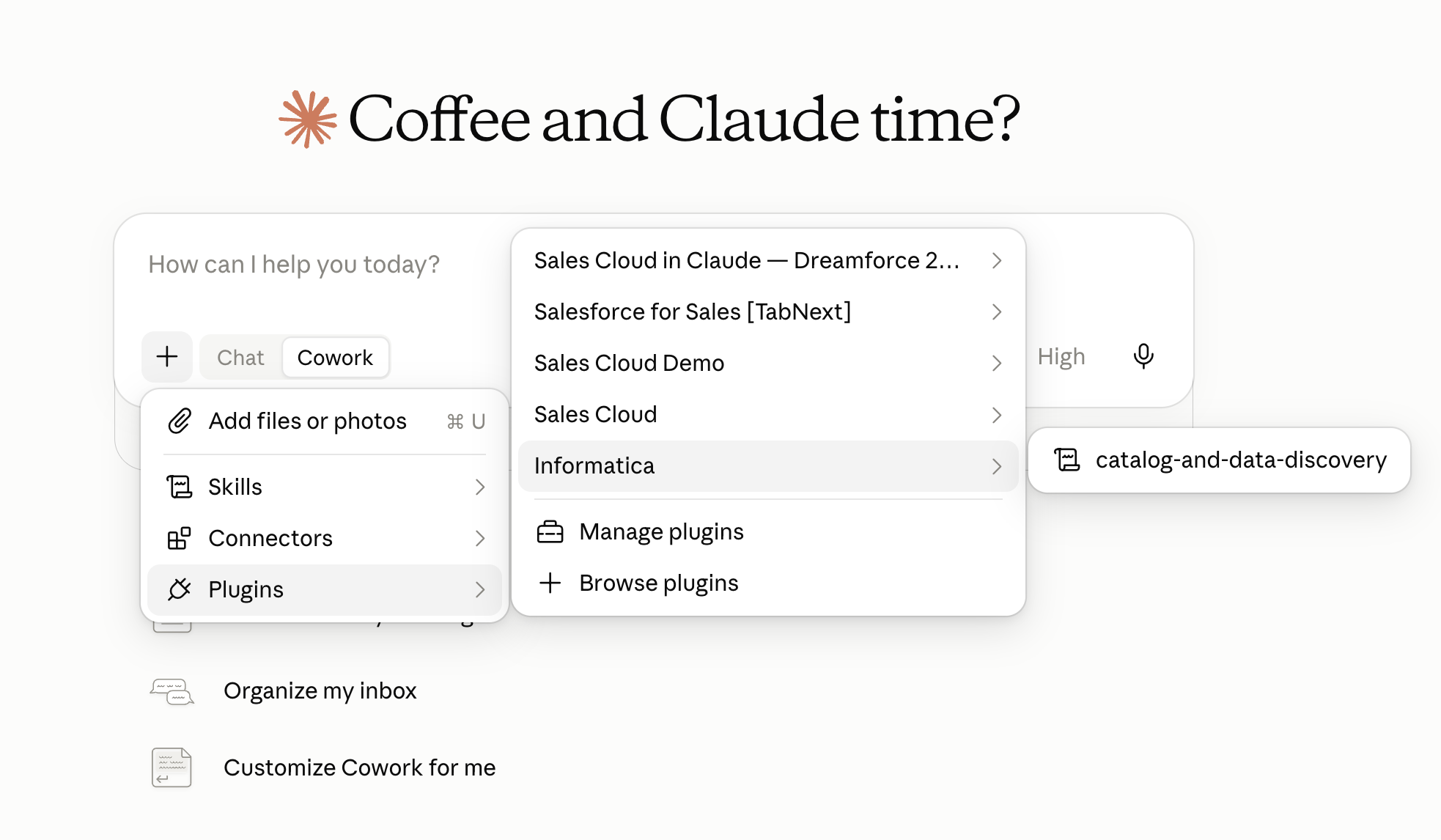
- Ensure that Cowork is selected.
- Click on the + at the button the prompt text box.
- Click on Plugins.
- Ensure that you can see the Informatica plugin.
- Hover over the Informatica plugin and you should see catalog-and-data-discovery skill.
Note: If you do not see the plugin follow the steps below to turn on the plugin
- Click on +Browse plugins
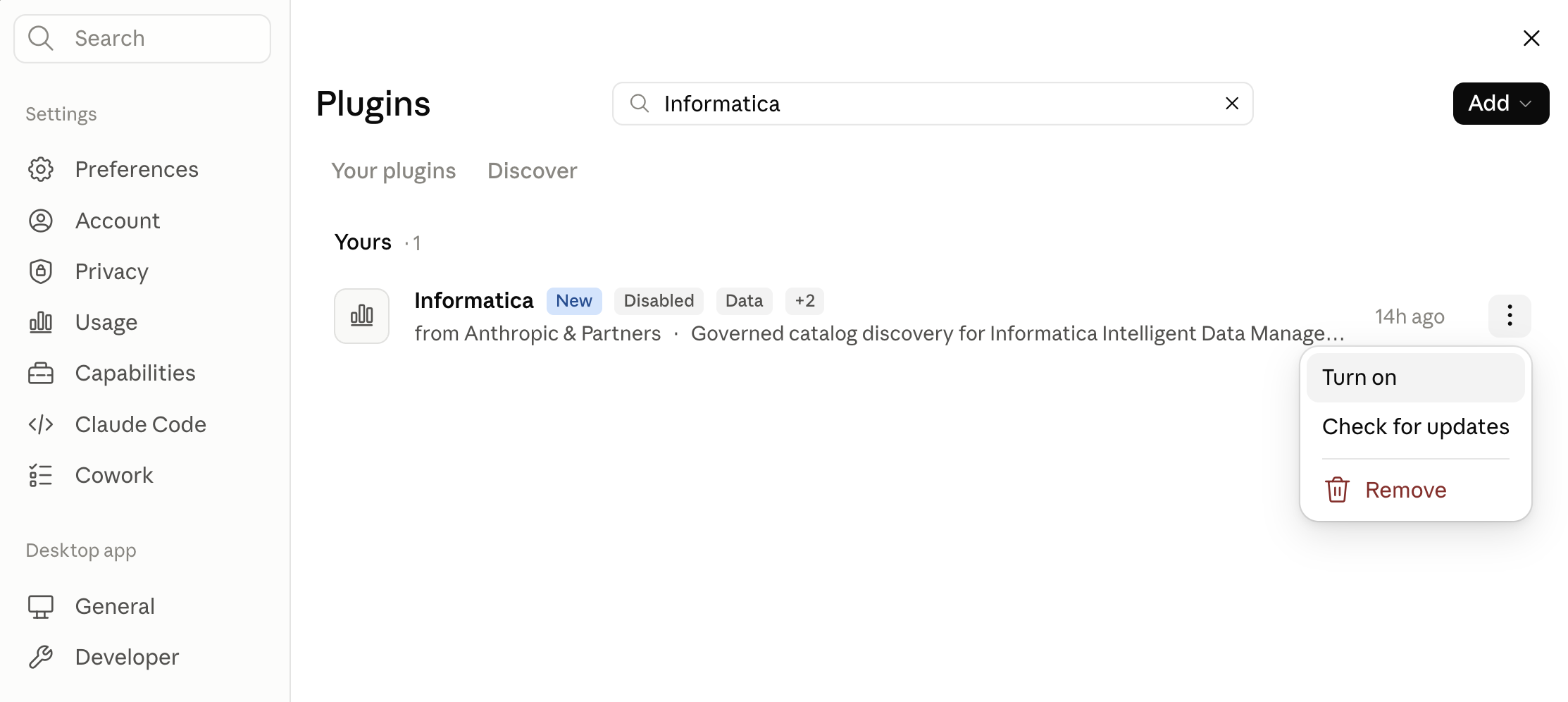
- In the Plugins pop up window select Your plugins.
- Search for Informatica plugin.
- Click on ellipsis (three vertical dots) to right of the plugin name and click Turn on.
Execute your prompt
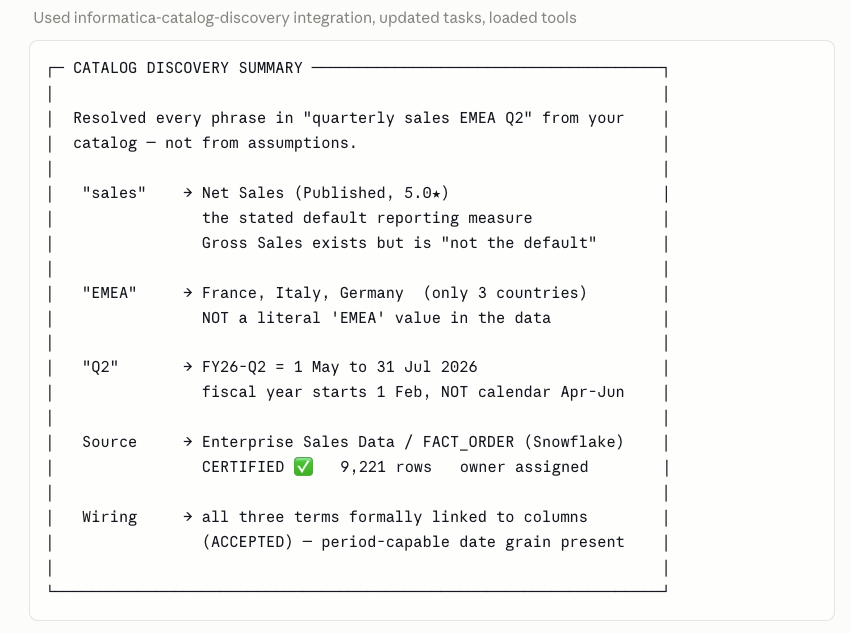
Imagine an executive or business analyst tasked with building a Q2 performance evaluation. Although this seems like a straightforward request, carrying it out without grounded metadata knowledge, authoritative definitions, cataloged assets, and governance safeguards creates major risks for inaccuracies. For example, the company might define Q2 as running from May to July, track regional metrics across three distinct fields instead of one, and maintain several revenue fields where only a single column holds certified figures.
Now, we will demonstrate how the Informatica Plugin for Claude Platform empowers agentic workflows to utilize catalog-based intelligence. By grounding actions in governed metadata, the AI avoids making blind assumptions about naming conventions, verifies business terms against authoritative standards, traces entity relationships, and executes requests within validated compliance boundaries.
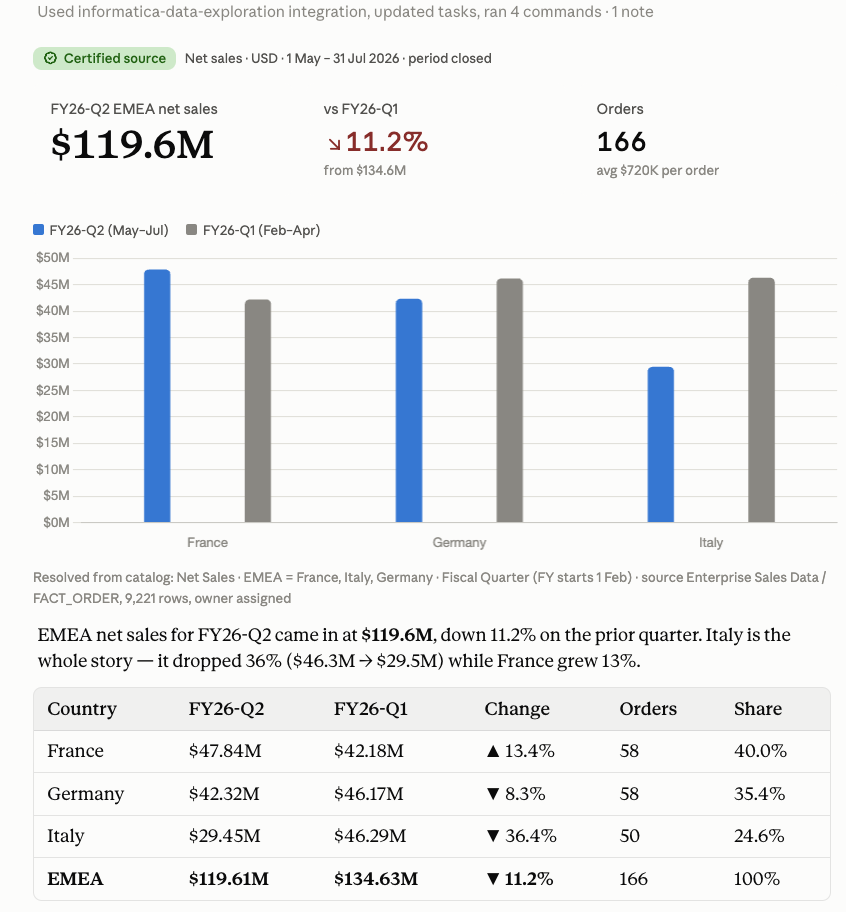
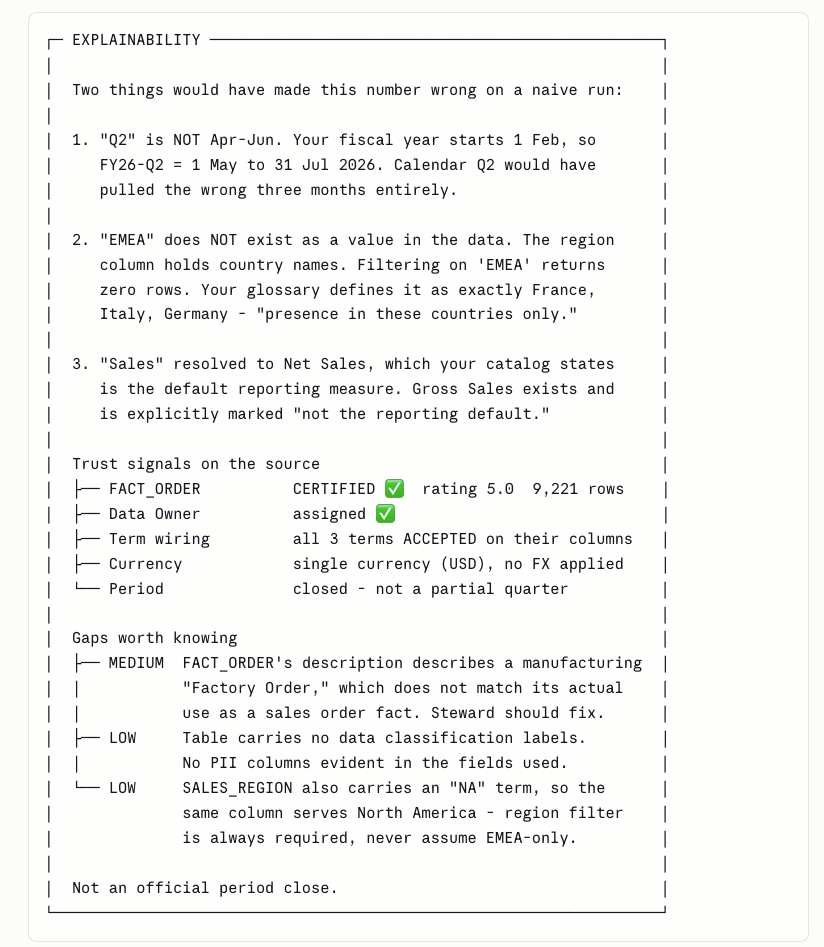
Although this process successfully fetched precise local revenue metrics for the timeframe, it further offers full visibility into its reasoning on how it derived the financial totals while avoiding common operational missteps.
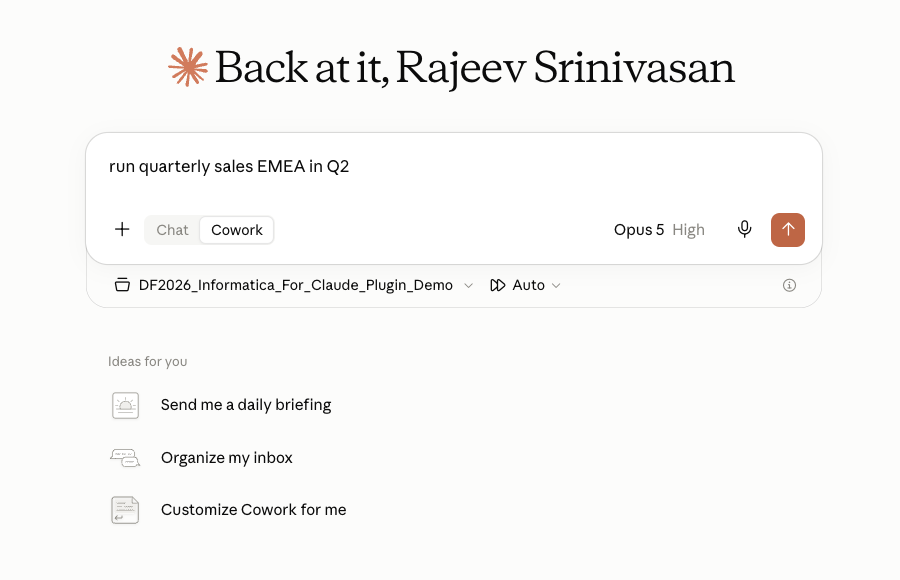
Submitting an instruction, such as "run quarterly sales EMEA in Q2" illustrates how the plugin enables the agent to navigate autonomous systems through complete execution paths. It actively overcomes fundamental operational friction by harmonizing fragmented naming standards across tools, resolving trust deficits through verifying curated enterprise repositories, and mitigating action risks by applying strict compliance policies prior to operational execution:
- Disambiguating core business terminology using governance glossaries and cataloged attribute definitions provided by IDMC.
- Evaluating verified data repositories by scoring overall quality metrics and confirming organizational sign-offs.
- Establishing connections to retrieve authoritative datasets, fully grounding downstream model actions in verified enterprise metadata, standard business logic, and security rules.
Please take some time to review the response from the agent for the prompt "run quarterly sales EMEA in Q2".
Summary
The Informatica Plugin for Claude Platform addresses key enterprise AI challenges by integrating Claude Enterprise directly with Informatica IDMC. By connecting with Cloud Data Governance and Catalog (CDGC) and CLAIRE Data Exploration Agent MCP servers, it equips AI workflows with rich metadata context, authoritative data sources, and robust governance guardrails, ensuring business tasks are executed with accuracy, compliance, and trust.
To learn more about how Informatica and Claude Ground your agents in your trusted enterprise data, read this post: From Model Intelligence to Enterprise Intelligence: How Informatica + Claude Ground AI in Trusted Data.